
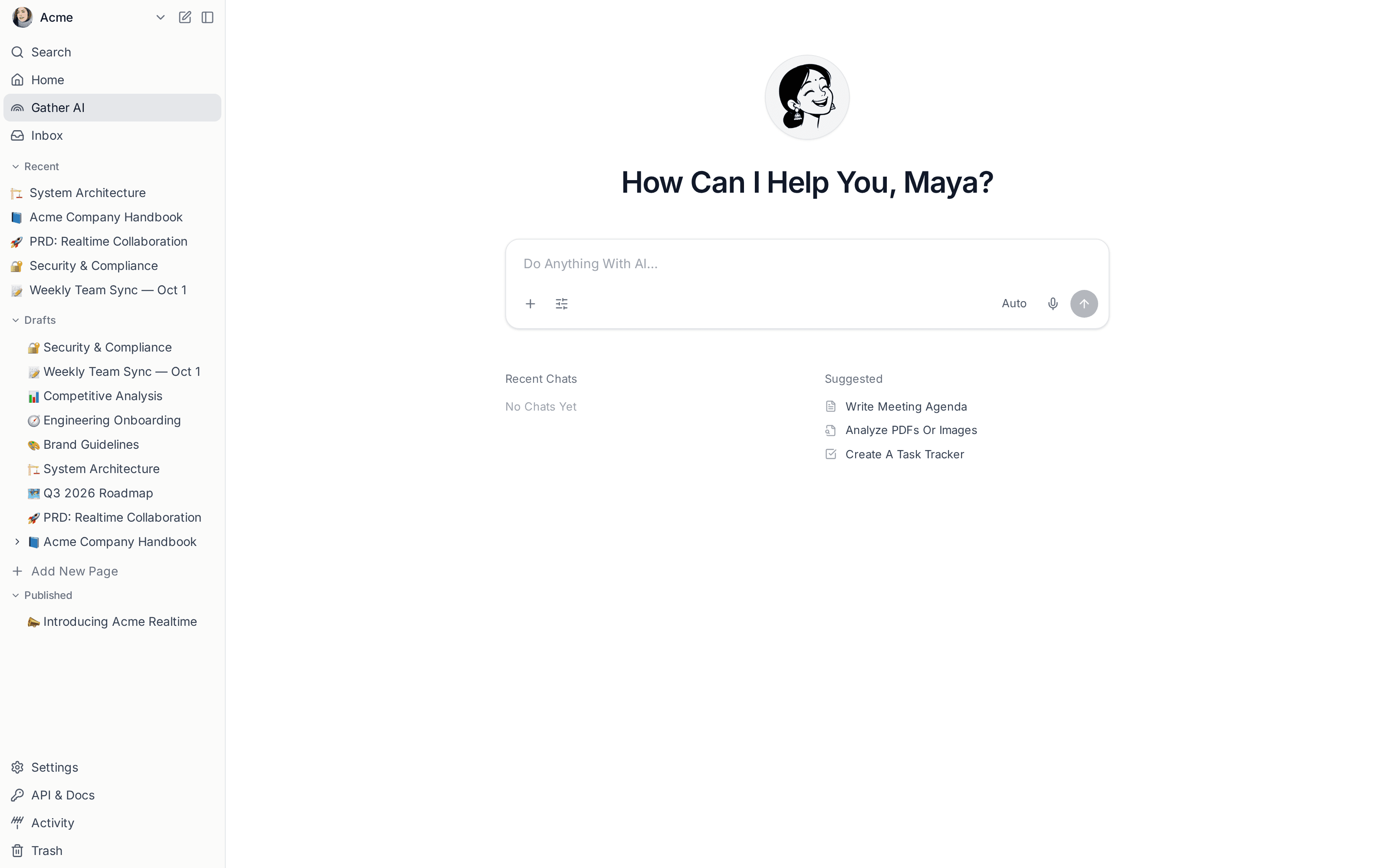
Every Team We Talk To Has The Same Quiet Problem: The Knowledge Is There, But It Is Scattered Across Hundreds Of Documents, And Nobody Has Time To Read All Of It. You Know The Answer Exists Somewhere, In A Spec From Last Quarter, A Handbook Page, Or A Comment Thread, But Finding It Means Interrupting A Colleague Or Giving Up. Today We Are Shipping Something That Fixes That. Meet Vritti AI, An Assistant Built Directly Into Your Workspace That Understands The Documents Your Team Has Actually Written.
Vritti AI Is Not A Generic Chatbot Bolted Onto The Sidebar. It Reads Your Pages, Respects Your Permissions, And Answers With Citations That Link Straight Back To The Source. When It Drafts, It Drafts In Your Editor. When It Summarizes, It Summarizes The Document In Front Of You. The Point Is To Keep You In Flow, Not To Send You Off To A Separate Tool.
Three Things It Does Well
We Focused The First Release On The Jobs People Asked For Most. Each One Lives Where You Already Work, Inline In The Editor, Or In A Chat Panel That Can See Your Whole Workspace.
- Draft And Rewrite In Your Voice. Start A Page From A One-Line Prompt, Or Select A Paragraph And Ask For A Tighter Version.
- Summarize Long Documents In A Click, With The Key Decisions And Open Questions Pulled To The Top.
- Ask Questions Across Your Workspace And Get An Answer Grounded In Your Own Pages, With Links To Every Source It Used.
Grounded, Not Guessing
The Biggest Difference Between Vritti AI And A General Model Is Where Its Answers Come From. When You Ask How The Billing Migration Is Going, It Does Not Improvise. It Retrieves The Relevant Pages, Reads Them, And Responds With Citations. If The Answer Is Not In Your Workspace, It Tells You So Instead Of Making Something Up. That Honesty Is What Makes It Safe To Trust With Real Work.
We Stopped Pinging Each Other For Context. People Just Ask Vritti AI And Get The Page They Needed, With A Link To Prove It.
Private By Default
Vritti AI Only Ever Sees What You Can Already See. It Honors Every Permission Boundary In Your Workspace, Your Content Is Never Used To Train Shared Models, And You Can Disable AI For Specific Spaces If Your Policies Require It. Admins Get A Single Switch And A Clear Audit Trail.
This Is The First Step In A Much Longer Journey. Over The Coming Months We Will Bring AI Into Search, Into Publishing, And Into The Analytics You Use To Understand Your Readers. For Now, Open Any Document, Press The Spark Icon, And Ask It Something. We Think You Will Be Surprised How Much Your Team Already Knows.
